
Run your entire YouTube
channel on autopilot.
TaleCut writes the script, generates the voice, visuals and motion, renders on your own GPU, and publishes straight to YouTube. One idea in — a finished video out.
Free to start · no API keys · plans from $9/mo
Built for creators who ship.
Local render on your machine, no render queues, no per-minute fees. Every AI step runs on simple credits — no API keys to set up anywhere.
free tier — then plans from $9/mo
rendered on your own GPU
telemetry — your data stays local
stages, fully automated
Everything your channel needs, in one place
Script to upload without stitching five tools together. Every stage lives in the same window — and runs on your machine.
AI scriptwriting
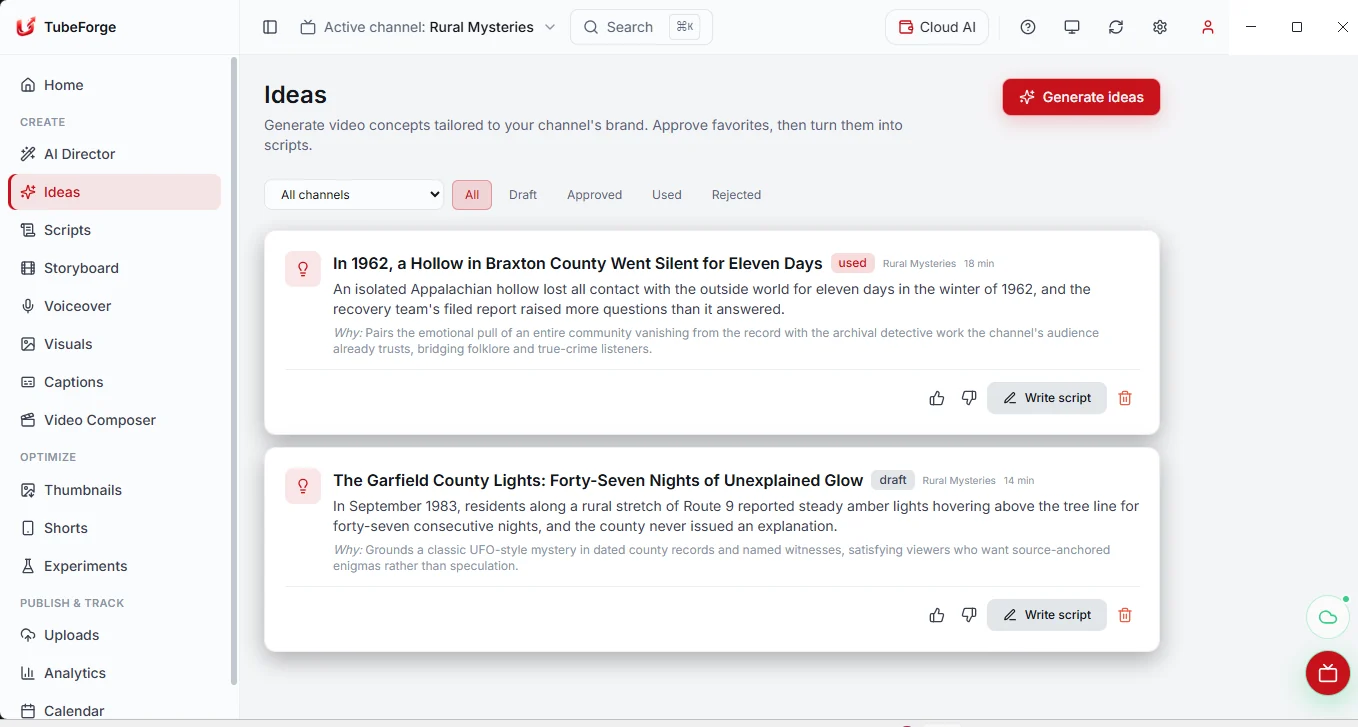
Full scripts and scene storyboards from a single topic, in your channel's voice.
Natural voiceover
Lifelike narration generated per scene — pick the voice, keep the pacing.
Visuals & AI clips
Per-scene imagery and AI video clips, mixed and sequenced to the narration.
Local GPU render
Captions, motion and beat-aligned cuts rendered with FFmpeg on your hardware.
From idea to upload, watch it happen.
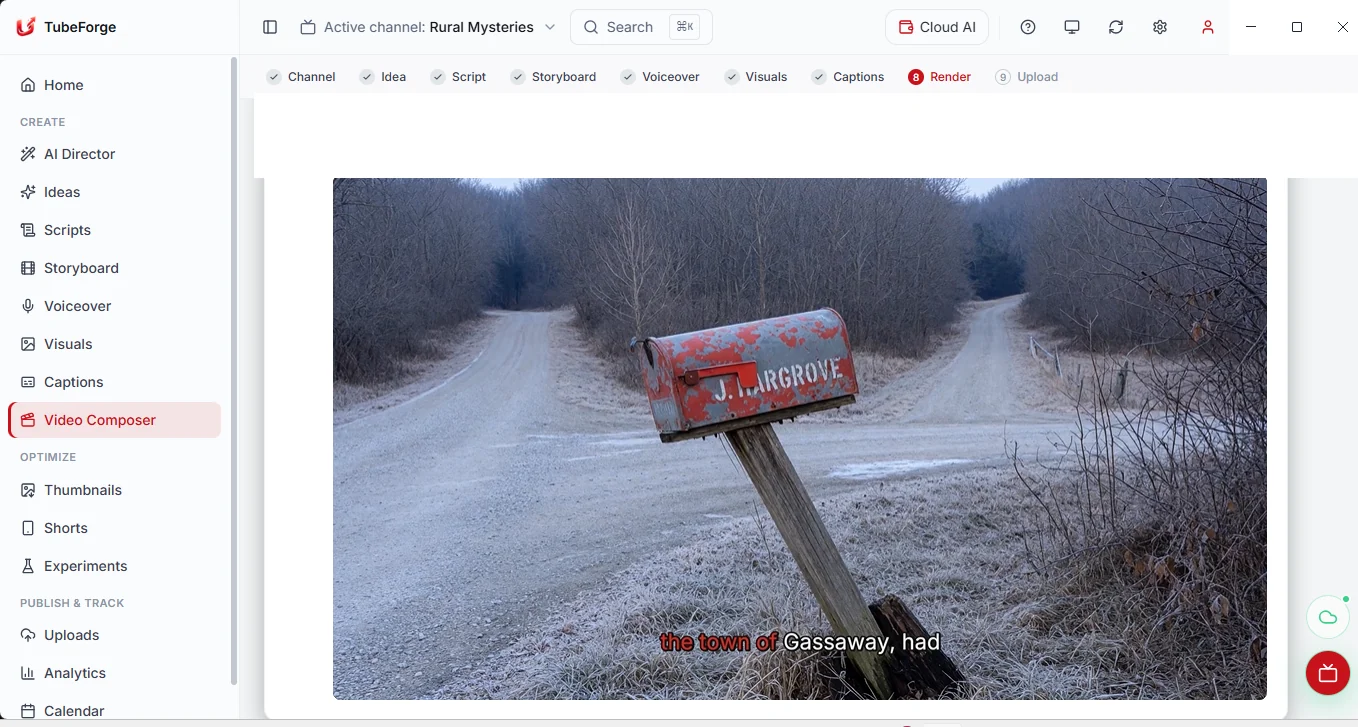
The whole studio pipeline — script, storyboard, captions, render, publish — as one flow inside a single desktop app. Follow along, or jump to any stage.
Your creator control center
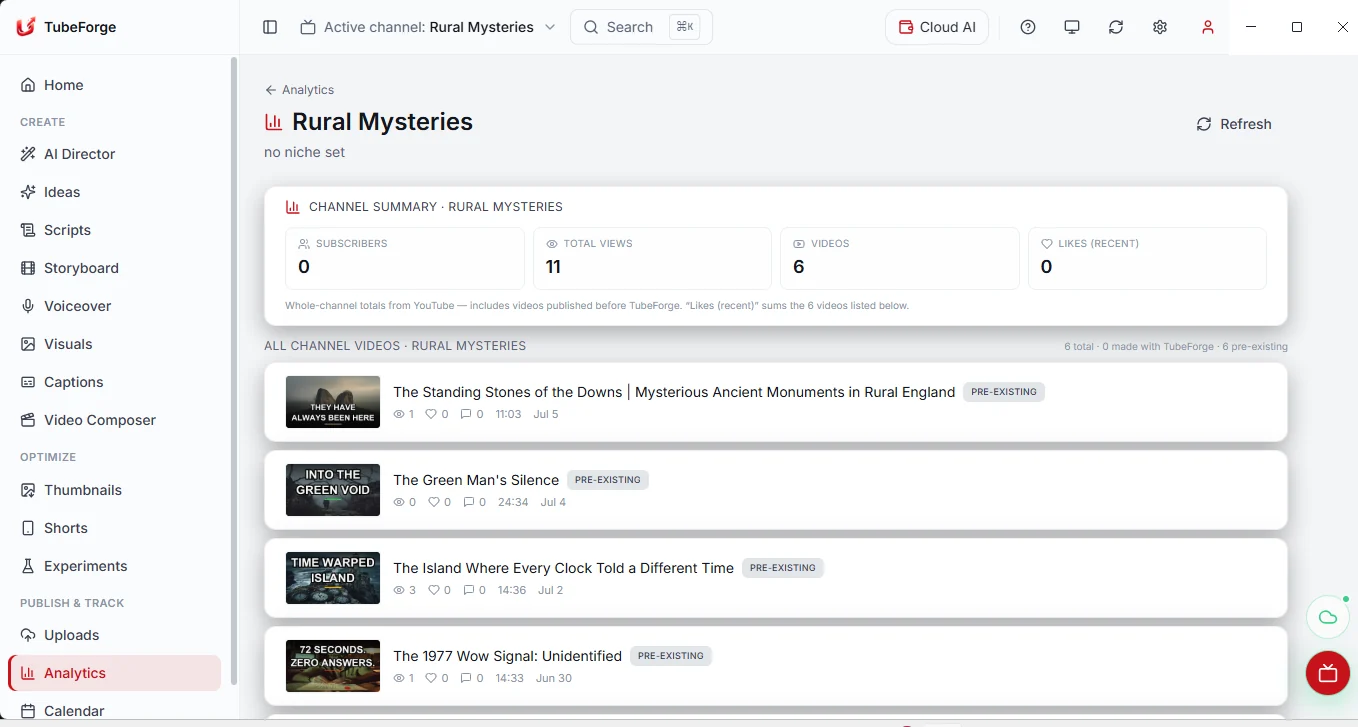
TaleCut doesn't stop at rendering. Publish, measure, and double down on what's working — all from one dashboard.
One dashboard
Every channel, render and upload at a glance from the Command Center.
Experiments
A/B titles, thumbnails and hooks, then keep the variant that wins.
One-click publish
Upload finished videos straight to your own YouTube channel.
Growth signals
Monetization and performance insights surface your next best move.
Your studio. Your machine. No API keys.
Most AI video tools rent you access to their servers. TaleCut renders locally and shows both credit buckets clearly—so you own the output, the data, and the bill.
Renders on your GPU
Every frame is encoded locally with FFmpeg — no render fees, no cloud render queue. Credits pay only for AI generation (script, images, voice, video), never for the render itself.
No telemetry
The app ships zero tracking, and the renderer's network is locked to 127.0.0.1. Your source files, project database, and finished renders never leave your machine.
No API keys, ever
Nothing to paste—no OpenRouter, Google, or music keys. Every AI step runs through one wallet view: monthly, weekly-capped plan credits plus permanent, uncapped top-ups.
Free to keep
The desktop studio is free to download and keep. You only pay for the AI credits you use — a free tier every month, or a plan from $9. Local rendering never costs a credit.
Start free. Grow into a plan.
Every plan is a monthly credit allowance that powers all AI — no API keys, no per-minute render fees, cancel anytime. Local rendering is always free.
Free tier included · monthly or annual (1 month free) · cancel anytime
Frequently asked questions
Everything you need to know before you download. Still curious? Talk to us.
There's a free tier (150 credits/month) plus plans — Starter $9, Pro $29, Studio $79, Scale $199/mo — each with exactly 10% bonus credits over the $0.01 base credit value. Annual billing gives 1 month free. Generation runs on credits; top up anytime. Local rendering is always free.
Explore
Built for your niche
Faceless channels aren’t one-size-fits-all. See how TaleCut fits the niche you’re building — or start from what you want the tool to do.
AI Video Generator — Free to Start, Local, No Watermark
TaleCut turns a one-line idea into a complete faceless video — script, voiceover, visuals, motion, and YouTube upload — rendered free on your own GPU, no watermark, with managed AI (no keys).
Learn moreFaceless YouTube Automation Software — Free Desktop Studio
TaleCut automates the whole faceless YouTube pipeline — idea, script, voice, visuals, motion render, and upload — locally on your own machine, free, with managed AI (no keys).
Learn moreAI Shorts Generator — Free YouTube Shorts Maker, No Watermark
TaleCut generates YouTube Shorts with AI hooks, a vertical render pipeline, burned-in captions, and one-click upload — free to start (plans from $9/mo) and local, no watermark, unlimited free renders.
Learn moreYouTube Automation Software — One Desktop App, No API Keys
TaleCut is local-first YouTube automation software: one app runs the whole production pipeline plus multi-channel operations, on your own GPU with managed AI (no keys).
Learn moreThe guides people search for most
- AI YouTube Thumbnails That Get Clicks (Ideas, Prompts & Rules)
- Faceless YouTube Case Studies: What the Data Actually Shows
- How Much Does It Cost to Start a Faceless YouTube Channel with AI?
- Is YouTube Automation Worth It in 2026? An Honest Answer
- How Much Do Faceless YouTube Channels Make? (Honest Answer)
- What Is YouTube Automation? A Plain-English 2026 Guide
Weighing your options? Read the honest head-to-head comparisons, the ranked best faceless YouTube tools guide, the switch-intent alternatives pages, or start from the step-by-step guides.
Your next video is one idea away.
Open the Studio in your browser, drop in a topic, and watch a finished video come together — script, voice, visuals and render. Start free — plans from $9/month, each a credit allowance for all AI.
Or get the desktop app for Windows or macOS — same account, same credits.